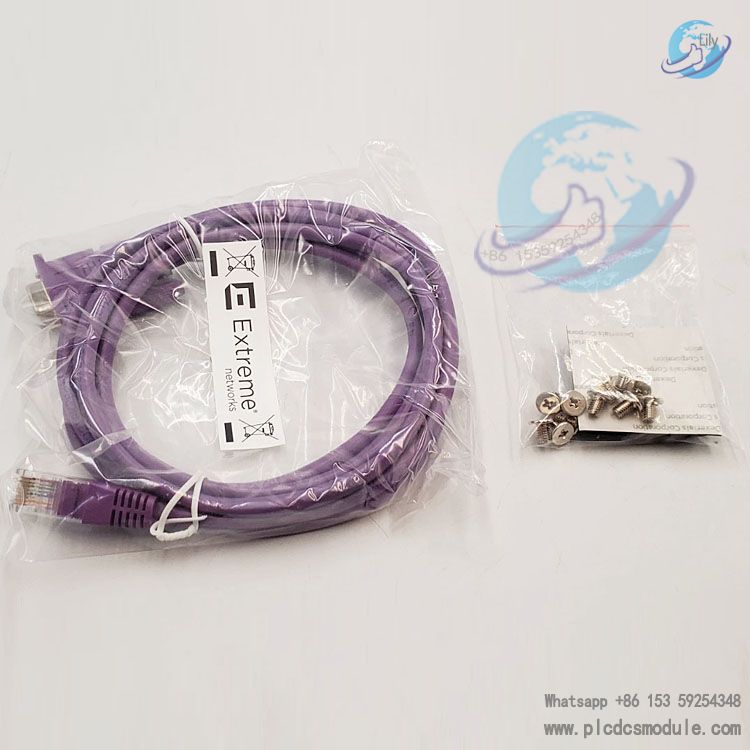
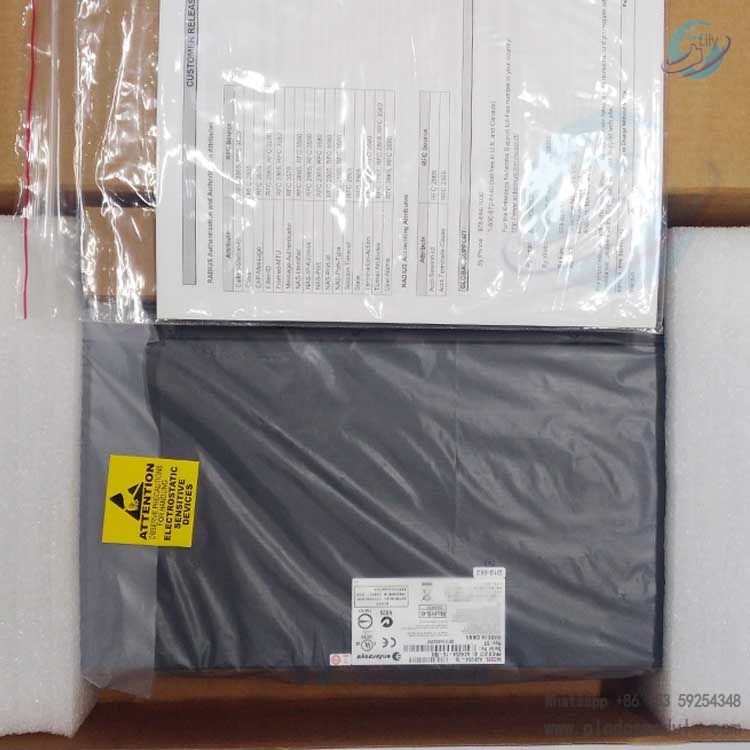
Note; All products on this site are special products, the market price has been fluctuating, the specific customer service offer shall prevail, because the product is a new product, the picture is not a real shot, please confirm with customer service before placing an order model and product, price and other details, the site used, new are for sale, please contact customer service communication. The
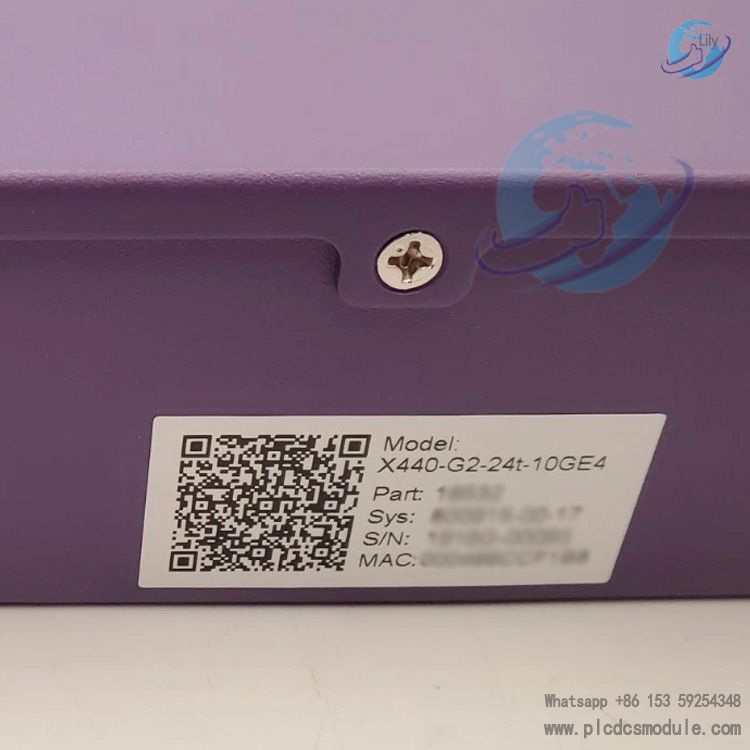
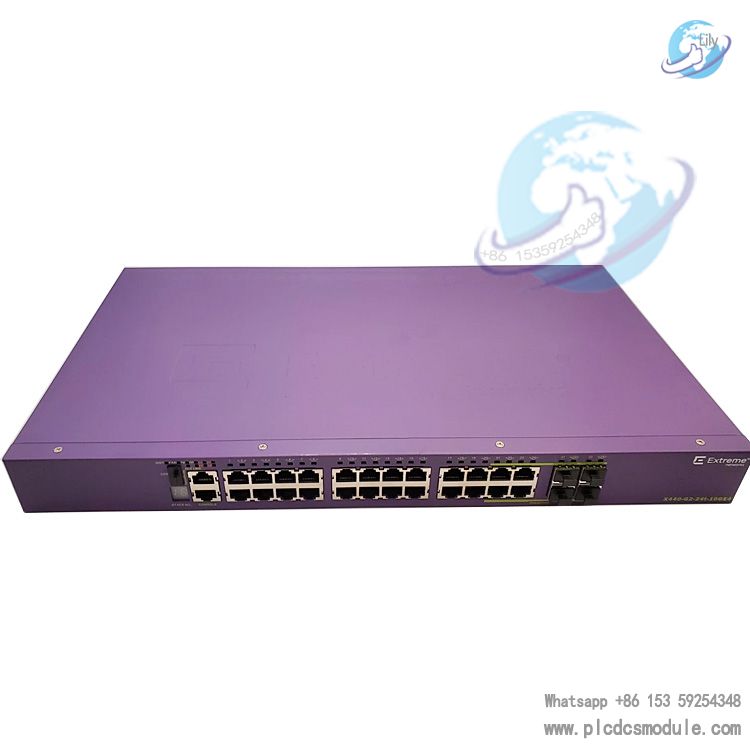
X440-G2-24t-10GE4 is a Layer 3 access
switch from
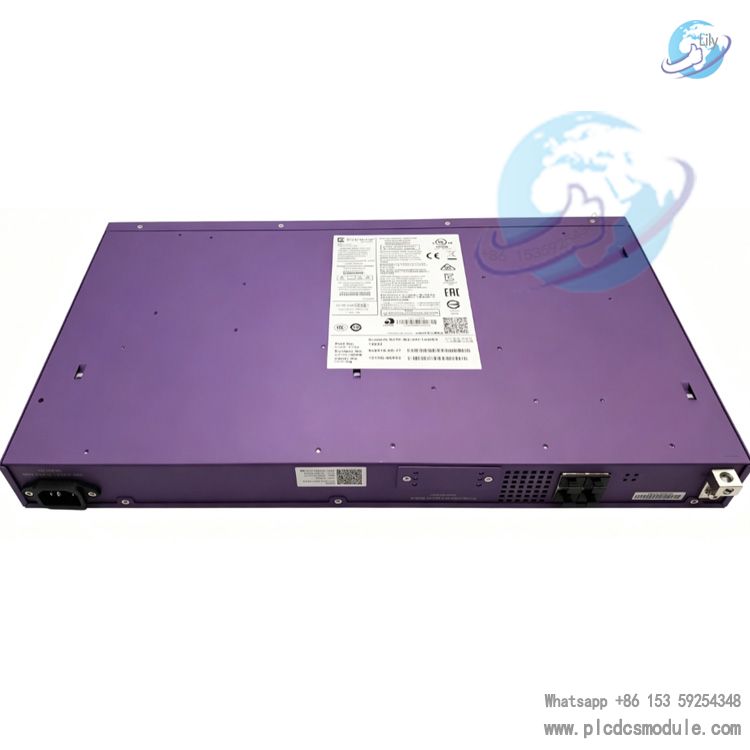
Extreme Networks (USA) within the X440-G2 product line (Part No. 16532). Designed as an access-layer core device for enterprise campus networks, branch offices and small-to-medium sized data centers, it features a standard 1U rack-mount chassis pre-installed with the licensed ExtremeXOS Edge operating system.
The switch comes standard with 24-port Gigabit RJ45 copper ports alongside shared Gigabit SFP slots and upgradable 10-Gigabit uplink slots. It supports redundant power supply expansion and flexible stacking deployment, serving as a managed commercial switch balancing Gigabit end-device access and scalable 10G uplink connectivity. This is an AC-powered model with bare unit dimensions of 4.4 cm (H) × 44.1 cm (W) × 25.4 cm (D) and a net weight of 3.66 kg.Differentiated from same-series FX all-fiber variants and PoE-powered models, this unit focuses on cost-effective high-density all-copper access. Users may purchase additional licenses afterward to activate full 10G uplink functionality, making it ideal for phased network upgrade and renovation projects of enterprises.
DOCUMENT DOWNLOAD
 X440-G2-24t-10GE4 RH102AY 24 Port Ethernet Switch.pdf
Core Advantages
Flexible Port Multiplexing & On-Demand 10G Upgrade
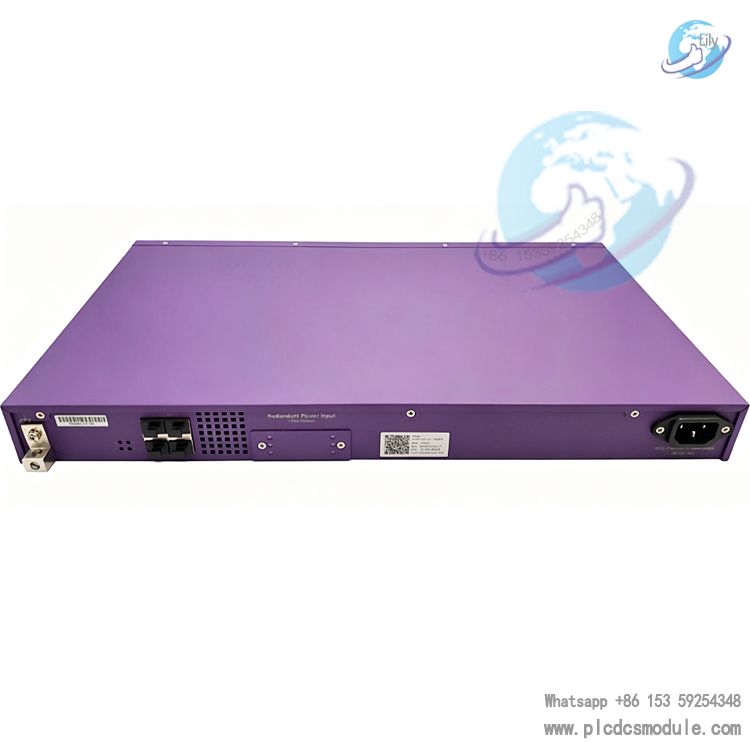
Four rear-mounted SFP+ slots natively run at 1G fiber speed; purchased licensing unlocks full 10G SFP+ uplink capability. Administrators can convert two of these ports into stacking ports via the CLI command enable stacking-support, leaving the remaining two available as 1G/10G service ports. This design balances stacking interconnection and uplink expansion to eliminate wasted port resources.
Comprehensive Ecosystem with Diversified Maintenance Options
Powered by modular ExtremeXOS software, the switch supports four management access methods: Console serial port, RJ45 management port, front-panel USB 2.0 (firmware v22.2 or newer), and remote cloud management via ezcloudx. It supports TFTP firmware update and local CLI configuration, compatible with both conventional on-premise and cloud-based operation & maintenance architectures.
Redundant Power Design for High Equipment Reliability
An independent rear RPS redundant power port enables hot redundant dual-power operation with an external redundant PSU module. The unit ships without an integrated power switch; power cycling is performed via power cord removal. Installation per 15A dedicated circuit breaker specifications minimizes unexpected power loss and downtime risks.
Wide Operating Temperature & Global Compliance Certifications
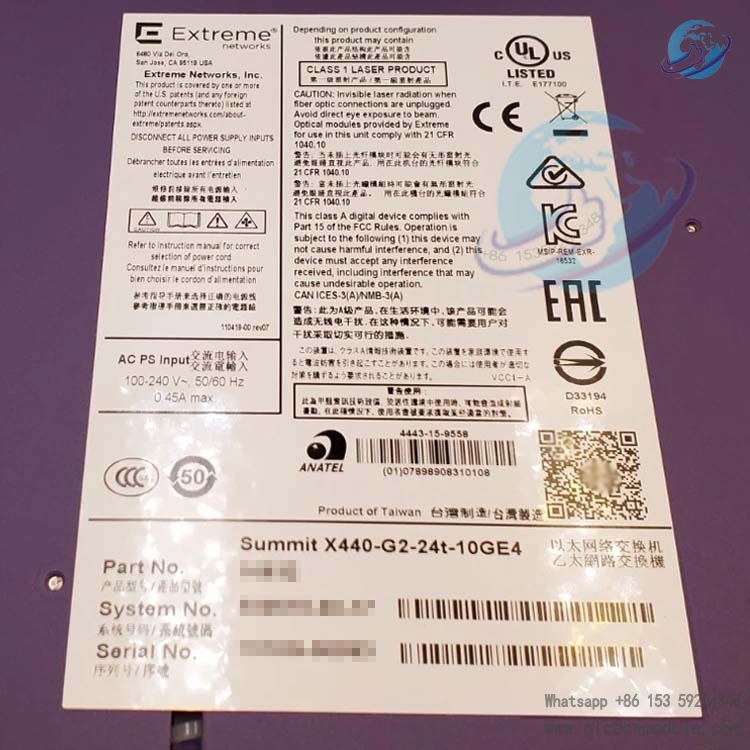
Operating temperature ranges from 0°C to 50°C with maximum hourly ambient fluctuation ≤10°C. Certified to FCC, CE, CCC, VCCI, BSMI and other global safety & EMC standards, compliant with IEC60950 / IEC62368, suitable for permanent deployment in government, enterprise, campus and commercial data center environments.
Robust Layer 3 Functionality for Simplified Converged Networking
Pre-built Layer 3 routing, VLAN, QoS and link aggregation functions plus native AVB audio-video bridging enable consolidated access for IP cameras, IP phones and wireless APs, perfectly fitting triple-play deployment for integrated voice, video and data services.
Product Specifications
(I) Hardware Port Specifications
| Port Location | Port Type & Quantity | Key Specifications |
|---|
| Front Panel | 24 × 10/100/1000BASE-T RJ45 Copper Ports | Ports 1–16: auto full/half duplex; Ports 17–24: full-duplex only; auto-negotiation for Gigabit end-device access |
| Front Panel | 4 × 1000BASE-X SFP Combo Shared Fiber Slots | Empty slot design; Gigabit SFP transceivers installed separately for fiber uplink as required |
| Front Panel | RJ45 Console Port + Gigabit Management Port + USB 2.0 | Console for local serial debugging; USB available only under XOS v22.2 or above for configuration/firmware upgrade via USB flash drive |
| Rear Panel | 4 × SFP+ Empty Slots (Dual-rate 1G/10G capable) | Default speed at 1G; additional license required to enable 10G operation. Two ports configurable as stacking ports via command; remaining two configurable for 1G/10G service (10G still license-bound under stacking mode) |
| Rear Panel | AC Power Socket, RPS Redundant Power Port, Ground Terminal | 100–240 VAC, 0.45 A, 50/60 Hz input; 14AWG copper wire recommended for ground connection |
| LED Indicators | Stack LED, PSU/RPS Power LEDs, Port Status LEDs | Solid green power LED = normal operation; off or abnormal blinking indicates power failure. Stacking supported on this model (cut-down variants such as X440-G2-24t-GE4 omit stacking capability) |
(II) Environmental & Physical Parameters
Temperature & Humidity: Operating: 0℃~50℃; Storage: -40℃~70℃; Operating humidity: 10%~95% non-condensing. Minimum 7.6 cm clearance around all chassis sides for heat dissipation.Dimension & Weight: Bare unit: 4.4×44.1×25.4 cm (1U rackmount), net weight: 3.66 kg; Packaged dimension:13.9×37.7×56.8 cm, gross weight:5.17 kg.Power Spec: AC input 100–240 V, 0.45 A; optional external RPS redundant power supply. DC variant: X440-G2-24t-10GE4-DC (-48 VDC); identical port layout, differing only in power input.
(III) Software Features
- VLAN Configuration: Standard tagged VLAN range 1~4094. CLI commands:
create vlan [custom-name], configure vlan [name] tag [VLAN-ID]. Port-based and protocol-based VLAN segmentation supported. - Layer 3 Routing: Static routing, default gateway setup (
configure iproute add default [Gateway IP]), basic RIP & OSPF dynamic routing for cross-subnet networking. - QoS & Flow Control: IEEE 802.1p priority mapping, port rate limiting and AVB audio-video traffic optimization to reserve bandwidth for IP surveillance and VoIP real-time streams.
- Security Functions: Port security, static MAC binding, ACL filtering and 802.1X authentication to block unauthorized LAN access.
- Stacking Function: Multiple physical switches consolidated into one logical unit after stacking activation for centralized configuration and simplified multi-point O&M.
Application Scenarios
Enterprise Campus Access LayerDeployed in office buildings and industrial park office networks. Its 24-port RJ45 ports connect PCs, printers and desktop IP phones directly, while SFP+ ports deliver 10G uplink toward core aggregation switches.
Small & Medium-Sized Government & Enterprise BranchesSuitable for bank outlets, government field offices and chain retail stores. Fiber uplink connects to headquarters; local ports serve office endpoints and surveillance cameras, with optional redundant power ensuring non-stop operation.
Top-of-Rack (ToR) Access for Small & Medium Computer RoomsApplied at edge access of miniature IDCs and private cloud environments. 10G SFP+ ports uplink to server aggregation switches, and 24 copper ports link to rack-mounted server network interfaces.
Campus Low-Voltage Cabling ProjectsInstalled in equipment closets of teaching and dormitory buildings to connect student terminals and campus IP broadcast devices; embedded AVB optimizes campus audio & video broadcast networking.
Commercial Hotel NetworkingWired access for guest rooms with fiber backhaul to central equipment room, coordinating with wireless controllers to manage Wi-Fi APs and build integrated wired & wireless room networking.
Non-recommended Deployment Scenarios
- Dense deployment of high-power PoE terminals: select PoE+ variants (24p/48p PoE models) from the same product line for PoE requirements.
- All-fiber networking: choose all-fiber SKUs including 24fx / 24x fiber switches.
Frequently Asked Questions
Q1: Rear SFP+ ports run at 1G by default; how to enable 10G speed?A: The SFP+ slots are hardware-ready for 10G natively, yet 10G functionality requires licensed authorization purchased from Extreme Networks. After registering the license against the device serial number, reboot the switch to activate 10G capability. If two ports are converted to stacking ports via enable stacking-support, an additional license is still mandatory to run the leftover ports at 10G.
Q2: PSU/RPS power LED fails to illuminate green, how to troubleshoot power faults?A: ① Verify secure connections at both ends of the AC power cord and stable 100~240V mains supply at the wall outlet; replace with genuine region-specific power cords (power cords are not included factory-shipped and must be purchased separately).② When an optional RPS redundant power supply is deployed, inspect cabling and power feed for the backup PSU.③ If issues persist, refer to the Summit Series Hardware Installation Guide or log a hardware support ticket with official GTAC (toll-free for US & Canada: +1-800-998-2408).
Q3: Front-panel USB port fails to detect USB flash driveA: USB 2.0 functionality is only available on ExtremeXOS firmware v22.2 or newer. Upgrade XOS via Console or TFTP for older firmware revisions. Format the flash drive as single-partition FAT32; NTFS or exFAT file systems are not supported by the switch.
Q4: Can this model stack cross-model with X440-G2-48t-10GE4?A: Yes. Both share identical X440-G2 hardware architecture. After enabling stacking via CLI commands, 24-port and 48-port units support mixed stacking and consolidate into a single logical managed switch. However stripped-down variants such as 24t-GE4 / 24fx-GE4 lack onboard stacking hardware and cannot join stacking groups.
Q5: Is abnormal overheating a malfunction when the chassis runs warm during normal operation?A: Mild temperature rise is standard across the full X440-G2 lineup; this specific model is not designated a high-temperature variant (certain SKUs like 24fx /12t8fx officially list warm casing as normal operating characteristic). No remedial action is needed as long as ambient room temperature stays between 0℃~50℃, minimum 7.6cm airflow clearance is maintained around all sides and humidity meets specifications. Investigate inlet dust buildup or excessive ambient temperature if the chassis becomes uncomfortably hot accompanied by abnormal fan noise.
Q6: How to factory reset after losing Console login password?A: Power off the unit, press and hold the RESET button, then restore power while keeping the button depressed for 10 seconds. Release the button once all LEDs blink; the switch restores factory defaults with blank admin password. Note: All existing configuration will be erased; back up configuration files beforehand whenever possible.
Q7: Command error occurs when assigning ports to pre-created VLANsA: ① Valid VLAN ID range is strictly 1~4094; creation fails for out-of-range values.② Confirm successful VLAN creation with show vlan, then assign ports via configure port [port-number] tag/untagged [VLAN-name].③ Remove existing port security rules or ACL restrictions if port access is locked down by security policies before VLAN assignment.