

Yokogawa AIP831‑111 Industrial Operation Keyboard
Product Overview
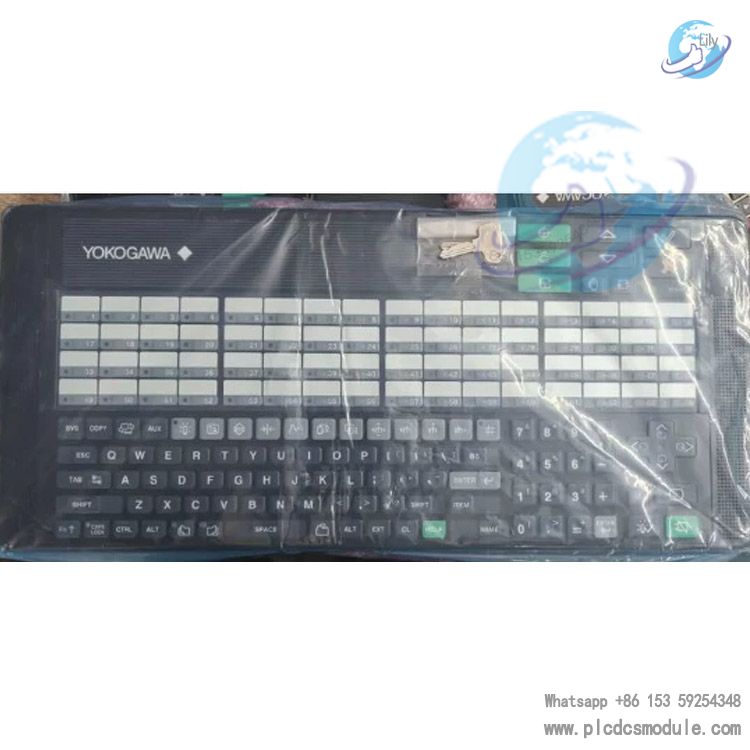
Yokogawa AIP831‑111 is an eight‑loop synchronous operation industrial keyboard for CENTUM VP desktop‑type HIS Human Interface Station. Equipped with touch‑sensing loop keys, electronic buzzer and USB speaker, it is specially designed for process monitoring and loop regulation in DCS control rooms. AIP831‑111 cannot run independently and requires VP6H1140 eight‑loop synchronous operation software license. Only one AIP831‑111 keyboard can be connected to a single desktop HIS unit. Replacing standard office keyboards, it provides dedicated physical key operation paths for field operators, reduces mis‑operation risks caused by mouse control, and adapts to 7×24‑hour continuous operation conditions of process‑industry control rooms.
Download

Technical Parameters
| Parameter Item | Specification |
|---|---|
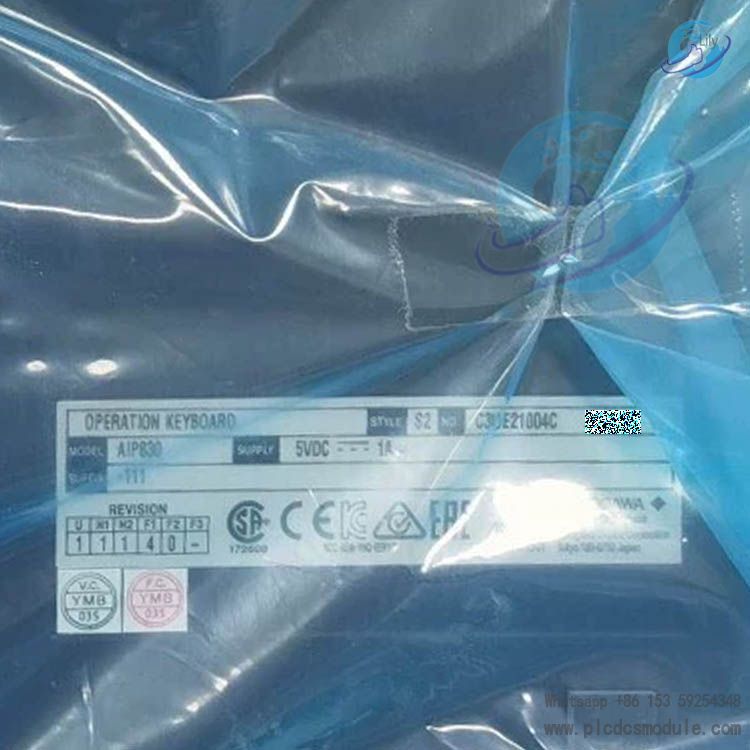
| Model | AIP831‑111 |
| Product Type | Flat‑type industrial operation keyboard |
| Interface Specification | USB‑A ×2; Keyboard: USB2.0 full‑speed bus‑powered; Audio: USB1.1 full‑speed bus‑powered |
| Power Supply | 5V ±5%, powered by PC USB port, max current consumption 1A |
| Weight | Approx. 2.0kg (without VESA bracket); approx. 2.5kg (with VESA bracket assembled) |
| Dimensions | 500mm ×225mm ×44mm, cable length 2300±100mm |
| Housing Color | Black, Munsell color N1.5 |
| Operating Temperature | 5‑40℃ for normal operation; ‑20‑60℃ for storage & transportation |
| Ambient Humidity | 20‑80% RH, non‑condensing |
| Touch Sensor | Only responds to bare‑hand touch |
| Installation Category | IEC 61010‑1 Class I |
| Suffix Configuration | With mode‑selection switch, Type‑B operation confirm key |
Core Functional Advantages
- Eight‑loop touch‑sensing keys trigger panel highlighting on HIS screen upon touch, allowing operators to quickly locate and adjust target loops.
- Built‑in electronic buzzer plus independent USB speaker directly output system alarm audio without external loudspeakers.
- Fn composite keys realize volume adjustment and page scrolling; the clear‑screen key supports hardware‑configured Fn‑free triggering.
- Complete matrix of process‑dedicated keys including alarm acknowledge, window call‑up, cursor movement and function shortcuts matching CENTUM VP operation logic.
- Two USB ports must connect to host simultaneously for separated transmission of keyboard and audio signals to guarantee stable control‑room signal performance.
Product Features
- AIP831‑111 adopts full flat industrial key layout, separating alphanumeric input zone and process‑specific control zone.
- Hardware‑integrated mode‑selection switch and Type‑B confirm key suit complex loop‑switching scenarios.
- Supports VESA bracket mounting; mounting surface shall bear at least 10kg load; desktop placement or wall‑mount installation are both available.
- Compliant with CSA, CE, EAC, RCM, KC certifications; certification validity depends on marking of connected upper‑level HIS host.
- Touch sensors react only to bare‑hand contact; glove‑wearing cannot activate highlighting function.
- No built‑in power adapter; fully powered by USB bus.
Application Fields
Mainly deployed for Yokogawa CENTUM VP DCS desktop HIS workstations, widely used in control rooms of chemical, petrochemical, power, oil‑gas and pharmaceutical process industries. Suitable for HMI deployment of new‑build projects as well as spare‑part replacement and system upgrade for legacy control rooms. Designed for operator workstations requiring simultaneous monitoring of 8 control loops and frequent alarm handling, loop switching and parameter tuning.
Product Comparison
| Model | Loop Capacity | Touch‑Sensor Configuration | Audio Output & Adaptation & License |
|---|---|---|---|
| AIP831‑111 | Eight‑loop synchronous operation | 8 sets of touch‑sensing keys | Built‑in USB speaker + buzzer; for desktop CENTUM VP HIS; VP6H1140 license required |
| AIP830‑111 | Single‑loop operation | No loop touch sensor | Built‑in buzzer; for desktop CENTUM VP HIS; no eight‑loop license required |
| AIP827 | General‑purpose HIS keyboard | No touch‑sensing function | Built‑in alarm buzzer; for CENTUM CS / VP console & desktop HIS; no extra loop license required |
Matching Products
- Hardware: CENTUM VP desktop‑type HIS Human Interface Station; optional accessory VESA mounting bracket (AIP831 option /VESA).
- Software: VP6H1100 standard operation & monitoring function; VP6H1140 eight‑loop synchronous operation software license (mandatory for AIP831‑111).
- Note: AIP831‑111 is incompatible with LHS1120 and LHS1130 console HIS software packages.
Frequently Asked Questions
Q1: Keys work normally after connecting AIP831‑111 to PC, but touch highlighting fails. What are possible causes?
A1: Confirm VP6H1140 eight‑loop synchronous operation license has been deployed; touch sensors respond only to bare hands and will not trigger highlighting with gloves; both USB‑A cables shall be fully connected to HIS host. Single‑cable connection leads to partial function loss.
Q2: Can two AIP831‑111 units be connected to one CENTUM VP desktop HIS workstation?
A2: No. Official documentation limits one desktop‑type HIS to connect only one AIP831‑series eight‑loop keyboard.
Q3: Can AIP831‑111 run on ordinary Windows PC without CENTUM VP DCS system?
A3: Basic alphanumeric keys can be recognized, while loop control, touch sensing, alarm buzzer and dedicated process shortcuts all depend on CENTUM VP software. Industrial operation functions cannot be realized without DCS environment.
Q4: Alarm buzzer of AIP831‑111 produces no sound. Which points shall be checked?
A4: Confirm audio USB cable is connected to host; verify alarm audio configuration inside HIS system; ensure volume is not muted via Fn composite keys; check whether hardware mute lock is activated.
Q5: What is the difference among different suffix codes for AIP831‑111 and how to select model?
A5: Suffix‑1 means with mode‑selection switch; suffix‑0 means without switch; last digit 1 stands for Type‑B confirm key, 0 for Type‑A confirm key. Option /VESA includes VESA bracket; /EIM for English manual; /JIM for Japanese manual. AIP831‑111 is the version with switch and Type‑B confirm key.
Q6: What is the mandatory load requirement for mounting surface when installing VESA bracket?
A6: The supporting surface at fixing position must bear minimum 10kg load to prevent bracket deformation or falling off during long‑term operation.
Q7: Can AIP831‑111 directly replace legacy AIP827 keyboard?
A7: Physical interfaces are compatible, yet AIP831‑111 requires VP6H1140 software license which AIP827 does not need. License configuration must be completed on software side; plug‑and‑play direct replacement is unavailable.
Q8: What temperature range is allowed for storage and transportation of AIP831‑111?
A8: Storage & transportation temperature: ‑20℃~60℃; operating temperature must keep 5‑40℃. Operation beyond temperature range accelerates component aging.
Recommended Same‑Brand Models
- AIP830‑111, Single‑Loop Operation Keyboard
- AIP830‑001, Single‑Loop Operation Keyboard
- AIP827, USB HIS Operation Keyboard
- AIP826, DCS Console Operation Keyboard
- VP6H1140, Eight‑Loop Synchronous Operation Software Package
- VP6H1100, Standard Operation & Monitoring Software
- AIP831‑011, Eight‑Loop Synchronous Operation Keyboard
- AIP831‑101, Eight‑Loop Synchronous Operation Keyboard
- AIP811, Legacy CENTUM Operation Keyboard
- AIP812, Console‑Specific Operation Keyboard
- AIP821, HIS Desktop Operation Keyboard
- AIP822, Process Control Keyboard
- VP6CKM‑V11, Software Media Package
- AIP831‑111/VESA, Eight‑Loop Keyboard with Bracket
- AIP831‑001/EIM, Eight‑Loop Keyboard with English Manual
Precautions
- Both USB‑A cables must be permanently connected to HIS host simultaneously; single‑cable connection is prohibited.
- Touch‑sensing keys respond only to bare‑hand operation; safety gloves cannot trigger panel highlighting.
- This device is USB‑bus powered. Do not use passive USB hubs for signal transfer; prefer direct connection to rear‑panel USB ports of host.
- Strictly avoid condensation in working environment; humidity shall not exceed 80% RH.
- VESA bracket mounting surface must achieve load capacity ≥10kg; never fix onto thin lightweight sheet structures.